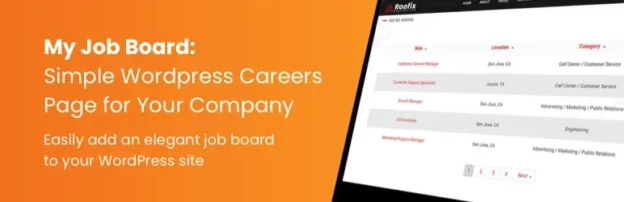
Online job boards have become a powerful way to connect employers with job seekers. Whether you want to launch a niche job board for a specific industry or create a full-scale hiring platform, WordPress makes it possible without heavy coding.
With the right plugins and themes, you can build a job board that generates revenue and provides real value. Here’s a step-by-step guide on how to build a job board with WordPress.
Contents
- 1 1. Choose a Domain and Hosting
- 2 2. Install WordPress
- 3 3. Select a Job Board Theme
- 4 4. Install a Job Board Plugin
- 5 5. Customize Job Listings and Applications
- 6 6. Monetize Your Job Board
- 7 7. Optimize for SEO and User Experience
- 8 8. Add Extra Features for Engagement
- 9 9. Secure and Maintain Your Site
- 10 FAQ
1. Choose a Domain and Hosting
Start with a reliable hosting provider that offers:
-
Good performance (fast page load for job listings).
-
Scalability (to handle growing traffic).
-
Security (to protect employer and candidate data).
👉 Managed WordPress hosting providers like SiteGround, Bluehost, or Kinsta are excellent starting points.
2. Install WordPress
-
Most hosting providers offer one-click WordPress installation.
-
Set up your site with a clean, professional design before adding job board features.
3. Select a Job Board Theme
Some WordPress themes are designed specifically for job boards:
-
Jobify – Modern design with job listing layouts.
-
WorkScout – Advanced search and filtering options.
-
JobCareer – Built-in application tracking system.
-
Astra or Divi – Multipurpose themes that integrate well with job board plugins.
4. Install a Job Board Plugin
The plugin is the backbone of your job board site. Popular options include:
WP Job Manager
-
Lightweight and easy to use.
-
Employers can submit job listings.
-
Job seekers can search and filter openings.
-
Free core plugin, with premium add-ons for applications, resumes, and alerts.
Simple Job Board
-
Straightforward plugin for job postings.
-
Add job listings with categories and filters.
-
Resume submission functionality.
Apply Online
-
Ideal for small job boards.
-
Allows candidates to apply directly from job listings.
-
Easy to set up and manage.
5. Customize Job Listings and Applications
-
Create job categories (e.g., IT, Marketing, Healthcare).
-
Add application forms with plugins like WPForms or Gravity Forms.
-
Allow employers to manage their listings via a front-end dashboard.
6. Monetize Your Job Board
Turn your job board into a business by offering:
-
Paid Job Listings – Charge employers to post jobs.
-
Featured Listings – Highlight premium jobs for a fee.
-
Subscription Plans – Offer employers monthly/annual plans to post multiple jobs.
-
Affiliate Job Listings – Import jobs from platforms like Indeed or ZipRecruiter.
7. Optimize for SEO and User Experience
-
Use Yoast SEO or Rank Math to optimize job listings.
-
Enable search filters (location, job type, salary).
-
Make your site mobile-friendly for job seekers on the go.
8. Add Extra Features for Engagement
-
Job Alerts – Notify job seekers via email about new listings.
-
Resume Database – Allow candidates to upload resumes for employers to browse.
-
Employer Profiles – Showcase company details and open positions.
-
Analytics Dashboard – Help employers track job listing performance.
9. Secure and Maintain Your Site
-
Install a security plugin like Wordfence or Sucuri.
-
Set up daily backups with UpdraftPlus.
-
Regularly update WordPress, plugins, and themes.
FAQ
Q: Can I create a job board with free tools?
Yes, you can start with WP Job Manager (free) and a basic theme. But for advanced features, you may need premium add-ons.
Q: How do job boards make money?
Most job boards monetize via paid job postings, subscriptions, featured listings, and affiliate job imports.
Q: Which hosting is best for a WordPress job board?
Managed WordPress hosting like Kinsta or SiteGround ensures speed and security for high-traffic sites.
Q: Can I allow multiple employers to post jobs?
Yes, plugins like WP Job Manager and themes like WorkScout allow multi-employer submissions.
Q: Is WooCommerce needed for a job board?
If you want to charge employers for posting jobs, WooCommerce integrates seamlessly with job board plugins.
👉 With the right theme, plugin, and setup, you can launch a fully functional job board on WordPress and turn it into a profitable business.